
Walkthrough
How Draft works, screen by screen.
A house and a boat, each a workspace with a project inside it. Every change follows one path: raise, see impact, decide, update. These tabs are where each step lives. Pick an area; it is the real product.
- Workspace and project
- Switch between your workspaces, and between the projects inside one.
- Acting as
- The same record, seen through a chosen seat; each sees only what it should.
- Live numbers
- Every figure is computed from approved changes, never hand-stored.
The home for the property or boat
Projects, the record, and a maintenance log, kept in one place that never closes.
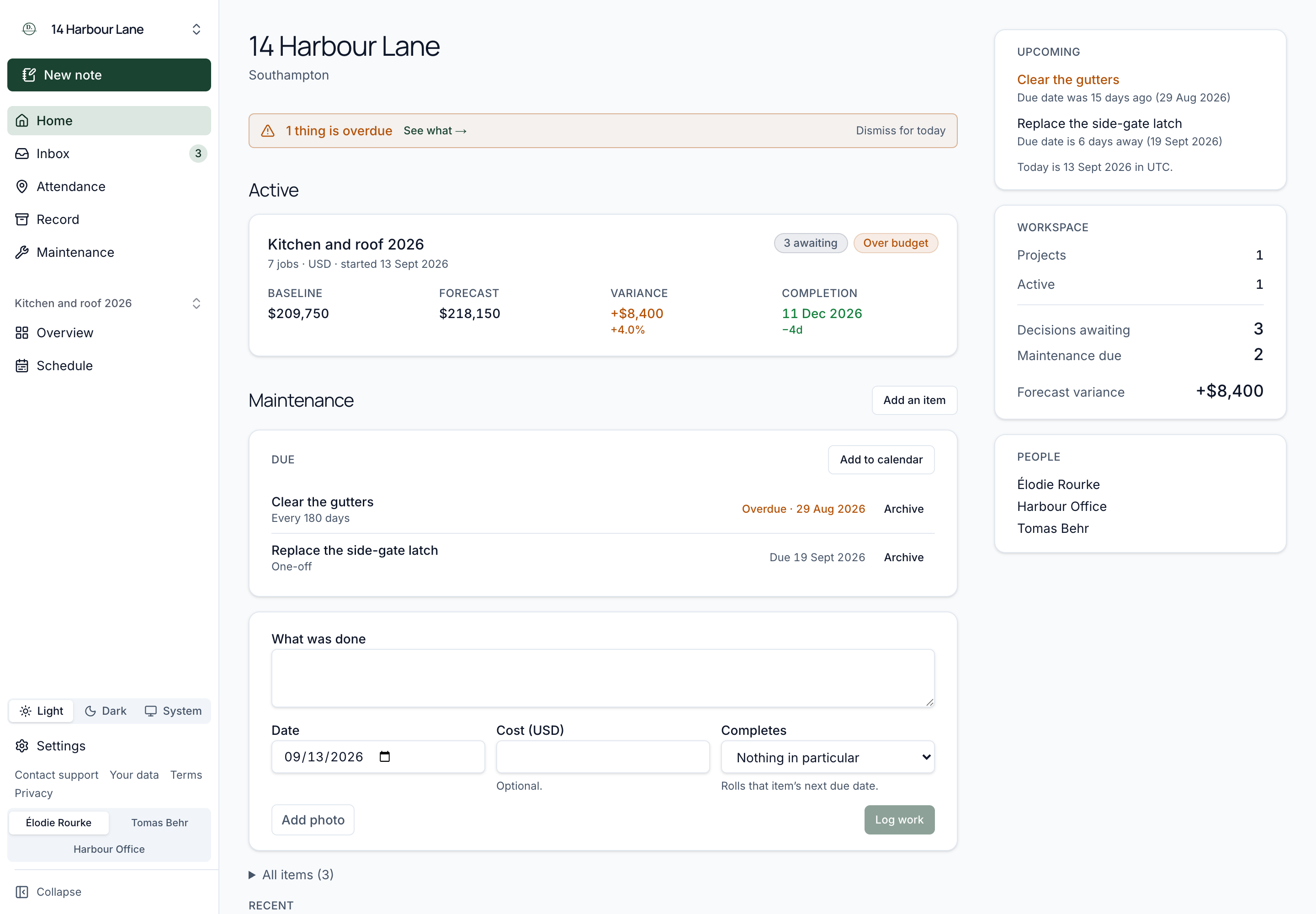
- Projects as cards
- Active first, then closed; each with its live position.
- The rail
- Totals across projects, the people on the workspace, what is due.
- Maintenance
- Recurring items and their entries, with a calendar feed.
The seats
One record, every role.
Not separate tools or copies of the data, but the same record, with money shown only to those who should see it.
The decision maker
Raises and decides within an approval limit, with the full position to hand.
Team members
Post updates and raise changes; they work the project and never sign for it.
Observers
Read everything, money included, and can be named the approver.
The contractor guest
A free view of only their own job, never project money or other contractors.
The workspace record
The append-only history itself, kept with the property or boat for life.
Questions? Read the FAQ
Start your next project on Draft.
One record for the decision maker, the team, observers and contractors.